
Beamcast
ChatGPT plugin for any websiteRun AI commands on any website
Highlights
What you can do with it
- Rewrite or summarize text on any page
- Get coding help while browsing docs
- Use custom shortcuts for repetitive prompts
How to use it
- 1 Install the Beamcast plugin in your browser.
- 2 Pick a built-in command or create a custom one.
- 3 Run the command on any page, starting on the free plan.
Who it is for
Pros
- Works on any website, not just one app
- Custom commands save time on repeated tasks
- Free plan to start, with premium options
Limitations
- The free plan is limited; premium features are paid
- Depends on the browser plugin and OpenAI models staying available
- Command quality depends on how well you write your prompts
What Beamcast is
Beamcast is a ChatGPT assistant delivered as a browser plugin. Its main job is to let you run AI commands quickly on any website you are visiting, rather than switching to a separate app. It ships with built-in commands for common tasks like writing, coding, and answering questions, and it also supports custom commands so you can save the prompts you use again and again. Cloud sync keeps your setup available wherever you work. The appeal is cutting the friction of copying text between a page and a chatbot. Powered by OpenAI's models, Beamcast supports multiple AI models, so you are not tied to a single one. It comes in free and premium plans, letting you try the core features before paying for more power or more commands.
What you can do with it
- Run built-in AI commands on any web page
- Create and reuse your own custom commands
- Sync your setup across devices with cloud sync
- Switch between multiple supported AI models
- Publish straight from your existing browsing workflow
Who it is for
- People who want AI help without leaving the page they are on
- Writers and developers doing quick edits or lookups
- Students summarizing articles as they research
- Anyone who repeats the same prompts and wants shortcuts
What to watch out for
The free plan covers the basics, but premium features are paid, and the split between them can change, so check what you actually get before upgrading. Because Beamcast is a plugin that relies on OpenAI's models, it depends on both the browser environment and the model staying available; updates on either side can affect how it behaves. The quality of custom commands comes down to how well you write your prompts, so expect to iterate. If you work with sensitive data, be careful about what you send to an AI service through the plugin. Treat the AI output as a draft and verify anything important, since the tool is there to speed you up, not to be the final authority.
FAQ
What is Beamcast?
A ChatGPT assistant plugin that runs AI commands on any website.
Does it sync across devices?
Yes, it offers cloud sync.
Is it free?
It offers both free and premium plans.
Why it is free
What the official page says: 免费
Free limits, trial length and features are decided by the official site and can change at any time.
Product preview
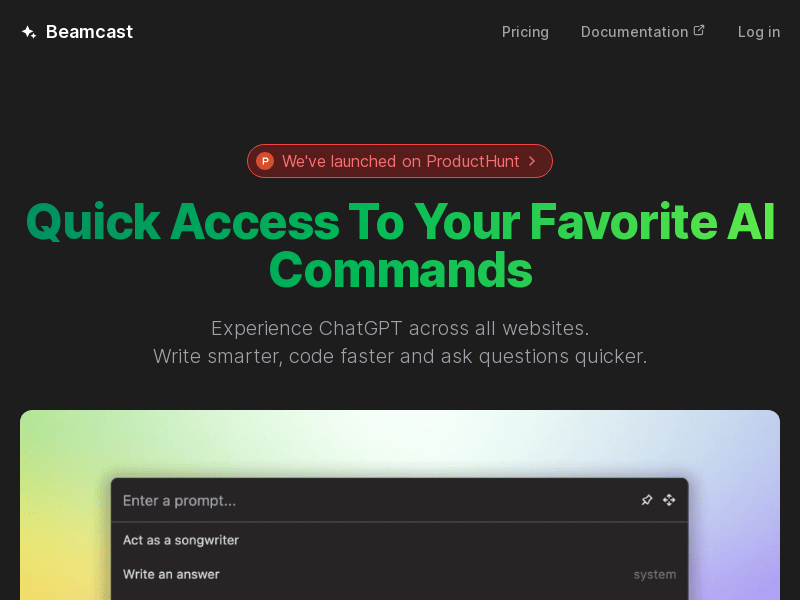
Screenshot archived from the listing page, for preview only.











