
Bau
AI interior designer that redesigns roomsUpload a photo, get a new room design
Highlights
What you can do with it
- Redesign a living room in an industrial style and shop the look
- Reimagine a bedroom in mid-century modern
- Restyle a bathroom with a Mediterranean feel
How to use it
- 1 Upload a clear photo of the room you want to change.
- 2 Choose a style from the available options.
- 3 Let the AI redesign the room based on your photo.
- 4 Review the design and the matching product suggestions.
- 5 Buy the items you like, or subscribe for more designs.
Who it is for
Pros
- A few free tries let you test the idea before paying
- Over 30 styles give a wide range of looks
- Suggests real products, so inspiration turns into action
Limitations
- Only a few free tries are available before a subscription is needed
- Design quality depends heavily on your uploaded photo
- Results are AI suggestions, not guaranteed buildable plans
What Bau is
Bau is an AI interior design app. You upload a photo of your room, choose a new style, and the AI redesigns the space, then suggests matching home decor products you can buy. It supports over 30 styles, including industrial, mid-century modern, minimalist, bohemian, Mediterranean, and Japanese, among others. You can try it for free a few times, but continued use requires a subscription, and payments are handled through Stripe for security. It is aimed at homeowners and design enthusiasts who want quick inspiration.
What you can do with it
- Upload a room photo and pick from over 30 design styles
- Let the AI automatically redesign the space
- See matching home decor products for the new look
- Try a few designs for free before deciding to subscribe
Who it is for
- Homeowners planning a room refresh or renovation
- Interior design enthusiasts hunting for fresh ideas
- Shoppers who want to preview a style before buying decor
What to watch out for
Only a few free tries are included, so exploring many rooms or styles usually means paying for a subscription. Design quality depends a lot on your uploaded photo, since a dark or cluttered image will limit the result. The output is an AI suggestion and inspiration, not a buildable floor plan, so treat it as a starting point rather than a final design. Start with a small sample to confirm the output meets your expectations before processing the full batch. Free tiers and usage limits can change, so check the current rules on the official page before relying on it long term. Behavior may vary across browsers and devices, so test before production use and consult the help docs if errors appear.
FAQ
How does Bau work?
You upload a room photo, choose a style, and the AI redesigns the space and suggests matching decor products.
Is it free?
You can try it for free a few times, but longer-term use requires a subscription.
How many styles are there?
It supports over 30 styles, including industrial, mid-century modern, minimalist, and Mediterranean.
Why it is free
What the official page says: for free
Free limits, trial length and features are decided by the official site and can change at any time.
Product preview
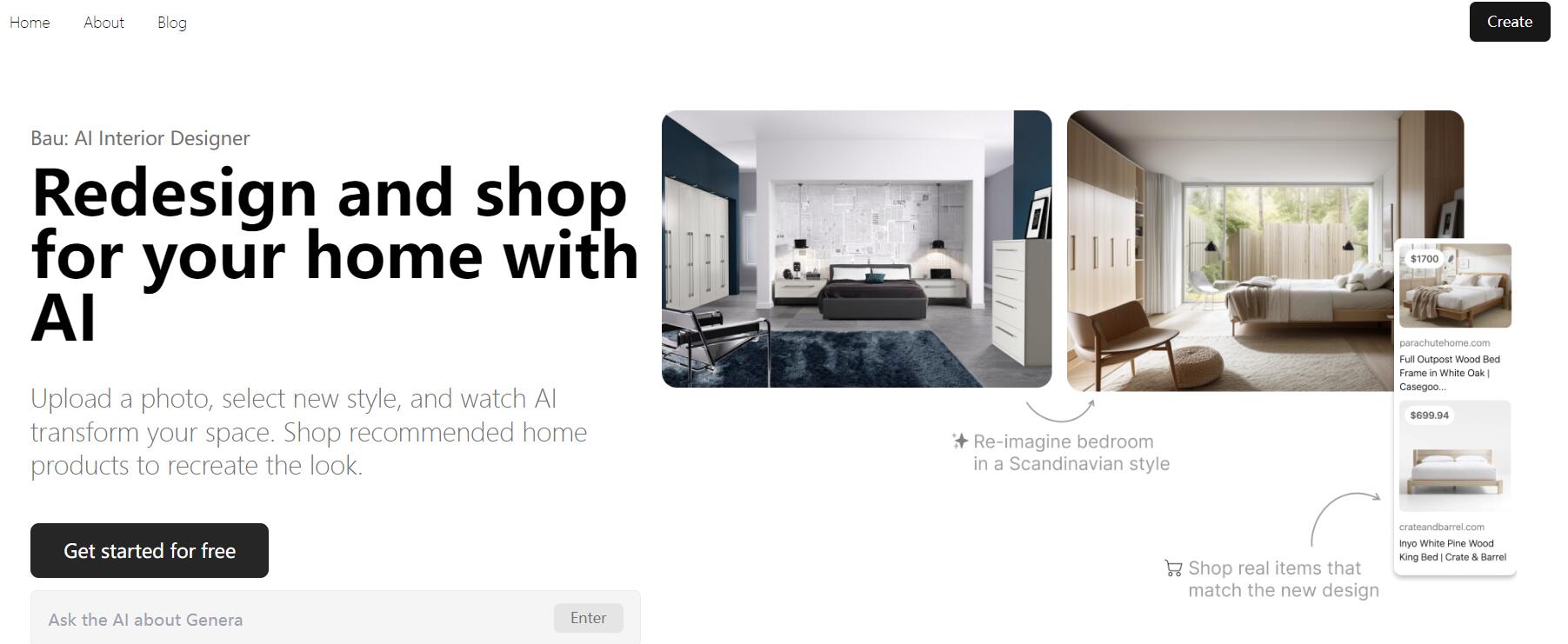
Screenshot archived from the listing page, for preview only.











