
AudioTranscription.ai
AI audio transcriptionTranscribe audio and video files
Highlights
What you can do with it
- Transcribe an interview recording into text
- Convert a video file into a readable transcript
- Turn a pasted audio link into text
How to use it
- 1 Open the AudioTranscription.ai site.
- 2 Upload an audio or video file, or paste a link.
- 3 Start the transcription job.
- 4 Review the returned text.
- 5 Edit and export the transcript as needed.
Who it is for
Pros
- 100 free minutes to test quality
- Fast turnaround on files and links
- Punctuation and accent handling included
Limitations
- Free minutes run out and paid pricing is not listed on the page
- Accuracy varies with audio quality and accent
- Uploaded content should be checked for sensitive data
What AudioTranscription.ai is
AudioTranscription.ai is an AI tool for transcribing audio and video files. You can upload files or enter audio links, and the service returns text that you can edit and reuse. The company says transcription is fast, secure, and accurate, and that the tool handles non-native accents, which is the part most likely to matter in real interviews. It also recognizes and adds punctuation, including ellipses that mark a change in thought inside a sentence, so the output reads closer to something a person typed. Users get 100 minutes of free transcription, which is enough to test quality on real material.
What you can do with it
- Upload audio or video files for transcription
- Transcribe directly from an audio link
- Get punctuated output that reads cleanly
- Test quality with 100 free minutes before paying
Who it is for
- Journalists who need interview text quickly
- Researchers converting recordings into searchable notes
- Anyone with a backlog of audio or video files to turn into text
What to watch out for
The 100 free minutes will run out, and the page does not list paid pricing, so check costs if you have ongoing work, because transcription needs scale fast once you start. Accuracy varies with audio quality, background noise, and how strong the accent is, so clean recordings produce better transcripts and noisy ones will need heavy editing. Uploading files means sending content to a third party, so check what you upload if the material is sensitive or confidential. Always proofread the output before publishing or quoting it, since a single wrong word can change the meaning of an interview.
FAQ
How much free transcription do I get?
Users can get 100 minutes of free transcription service.
What input does it accept?
You can upload audio or video files or enter audio links.
Does it handle accents?
The tool is described as able to handle non-native accents and to add punctuation.
Why it is free
What the official page says: 免费
Free limits, trial length and features are decided by the official site and can change at any time.
Product preview
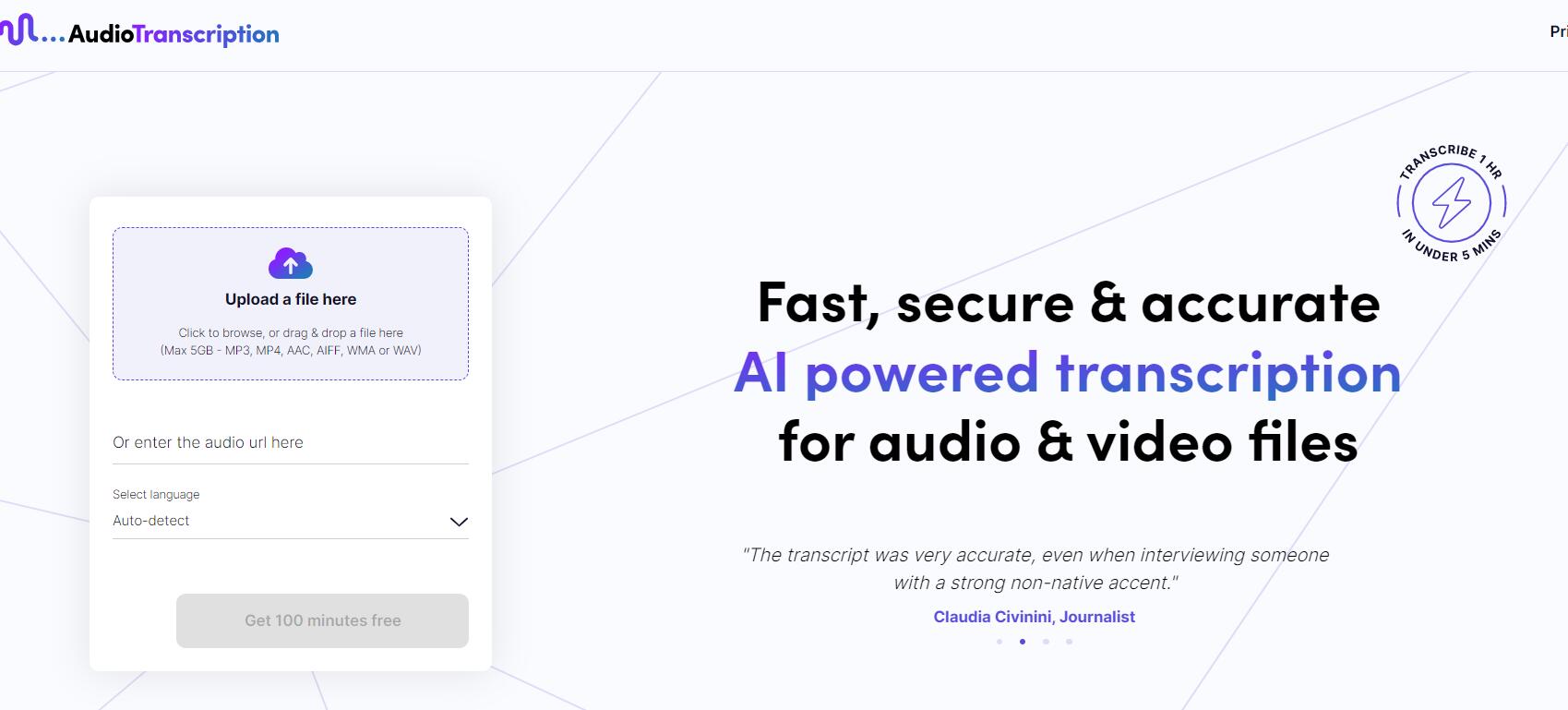
Screenshot archived from the listing page, for preview only.











