
Ares Creative
Online design tool with templates and elementsCreate unique designs in your browser
Highlights
What you can do with it
- Designers build social media graphics from ready-made templates
- Creative hobbyists turn personal ideas into shareable artwork
- Small teams produce consistent marketing visuals in one place
How to use it
- 1 Open the site and choose a template or start from a blank canvas
- 2 Add design elements and edit text, colors, and layout
- 3 Preview the result and adjust details until it looks right
- 4 Export the finished design in the output format you need
Who it is for
Pros
- Free version available, so you can try it before paying
- Template library shortens the time from idea to draft
- Runs in the browser with flexible export options
Limitations
- Free plan limits may change as the product updates
- Detailed guidance is limited, so beginners may need time to learn
- Better suited to general graphic design than advanced professional workflows
What Ares Creative is
Ares Creative is an online design tool built for people who want to create visual work without wrestling with complex desktop software. It ships with a large library of design elements and templates, so you can begin from something structured instead of a blank page. The editing environment is designed to be intuitive, with flexible tools for adjusting layout, text, and imagery, plus high-quality design materials you can drop into a project. Finished designs can be exported in multiple output formats, and plugin support lets you extend what the editor can do. Everything runs in the browser, and pricing is split between a free version and paid plans, so you can try the basics before committing to a subscription. You do not need to install anything to get started.
What you can do with it
- Pick a template from the library and replace the content with your own text and images.
- Adjust layout, color, and typography using the flexible editing tools in the browser.
- Combine design elements and materials to build graphics for social posts, print, or web use.
- Export the finished file in the output format that fits your project, and add plugins when you need more.
Who it is for
- Designers who need a quick, browser-based place to assemble graphics.
- Creative enthusiasts who enjoy turning personal ideas into visual work.
- Enterprises and small teams that want one shared workspace for design assets.
What to watch out for
The free version lets you explore the editor at no cost, but free plan limits can change as the product is updated, so check the current terms before you depend on it for paid client work. The tool aims to be broad and easy rather than deeply specialized, so very advanced professional workflows may fall outside its scope. New users should also expect a short learning curve while they get used to where the tools and options sit, because detailed tutorials are limited. Treat it as a convenient starting point rather than a replacement for a full professional design suite, and keep a backup of any work you cannot afford to lose.
FAQ
Is Ares Creative free to use?
It offers a free version alongside paid plans, so you can start without paying and upgrade if you need more.
Do I need to install anything?
No. It is an online design tool that runs in the browser, so you only need a web connection to work.
Who is it built for?
It targets designers, creative enthusiasts, and enterprises that need templates, elements, and flexible editing in one place.
Why it is free
What the official page says: 免费版免费
Free limits, trial length and features are decided by the official site and can change at any time.
Product preview
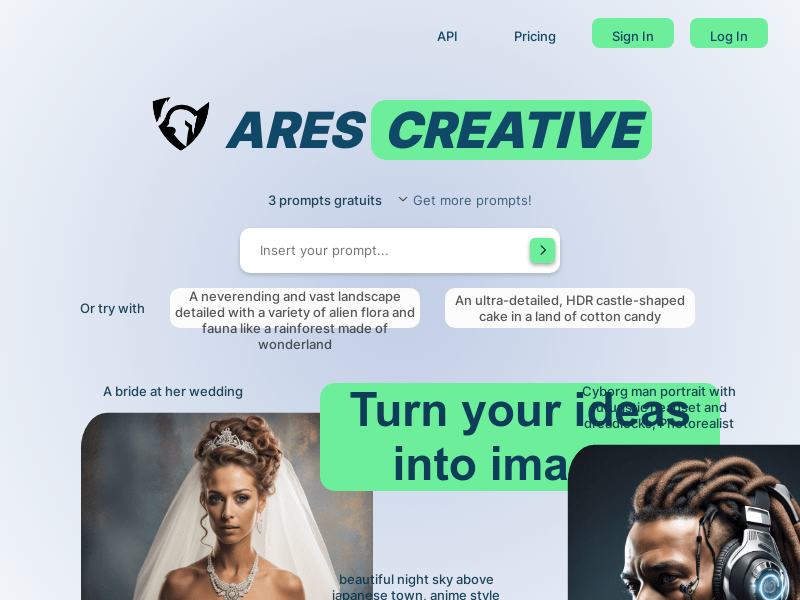
Screenshot archived from the listing page, for preview only.











