
Animate Photo
Free AI photo animation tool with 60 models and many styles.Turn any still photo into a living, moving video.
Highlights
What you can do with it
- Convert a cyberpunk city photo into an animated neon scene
- Bring anime character pictures to life with dynamic effects
- Turn product photography into commercial animation for marketing
How to use it
- 1 Visit animatephoto.io with JavaScript enabled
- 2 Click Upload and select the photo to animate
- 3 Choose an animation style or effect matching the photo
- 4 Preview the result, regenerate if needed, then save or share
Who it is for
Pros
- Free to use with wide style and effect choice
- Refund policy on failed generations reduces wasted credits
- Fast generation with a simple upload-and-choose workflow
Limitations
- Some functions require 50 credits, so heavy use is not entirely costless
- Animation quality varies by photo type and style choice
- Credit pricing and free allowances can change over time
What Animate Photo is
Animate Photo is a free online AI tool that converts static photos into animated videos with natural, realistic motion. It is supported by 60 AI models and gives you 60 animation styles to choose from, plus a professional effects studio with options like AI hugging, AI dancing, and AI cartoon transformations. The tool handles portraits, natural landscapes, anime art, and product photography, so it covers most image types creators actually work with. Operation is deliberately simple: upload a photo, pick a style, wait briefly, and preview the result. You can add audio to the finished video, and if a generation fails you can get a refund on the credits it consumed. The site reports over 35,000 photos successfully animated and 18,000 users, which at least suggests the workflow is stable enough for regular use.
What you can do with it
- Animate portraits, landscapes, anime art, and product photos into short videos
- Apply themed effects such as AI hugging, AI dancing, and cartoon styles
- Add audio tracks to make finished animations more engaging
- Save videos locally or share them directly to other platforms
Who it is for
- Content creators, bloggers, and influencers who need motion content without video editing skills
- E-commerce practitioners turning product photography into promotional video
- Anime enthusiasts who want static character art to come alive
What to watch out for
Although the tool is advertised as free, some functions require 50 credits, so a heavy animation habit is not entirely costless; watch your credit balance and check the current pricing structure before planning a large batch, because credit rules on young platforms can change. Animation quality is not uniform: some styles handle faces and fine details better than others, and busy or low-resolution photos can produce artifacts, so preview carefully before saving. Failed generations are refundable, which is fair, but repeated failures still cost you time. Finally, only animate photos you have the rights to use; animating other people's images without permission, especially identifiable faces, can create privacy and copyright problems that the tool cannot fix for you.
FAQ
Is Animate Photo free?
The tool is presented as free, though some functions consume 50 credits. If a generation fails, you can get a refund.
What kinds of photos work?
Portraits, natural landscapes, anime art, and product photography are all supported, each with suitable styles.
Can I add sound?
Yes, you can add audio to the generated animated video to enrich the viewing experience.
Why it is free
What the official page says: 免费
Free limits, trial length and features are decided by the official site and can change at any time.
Product preview
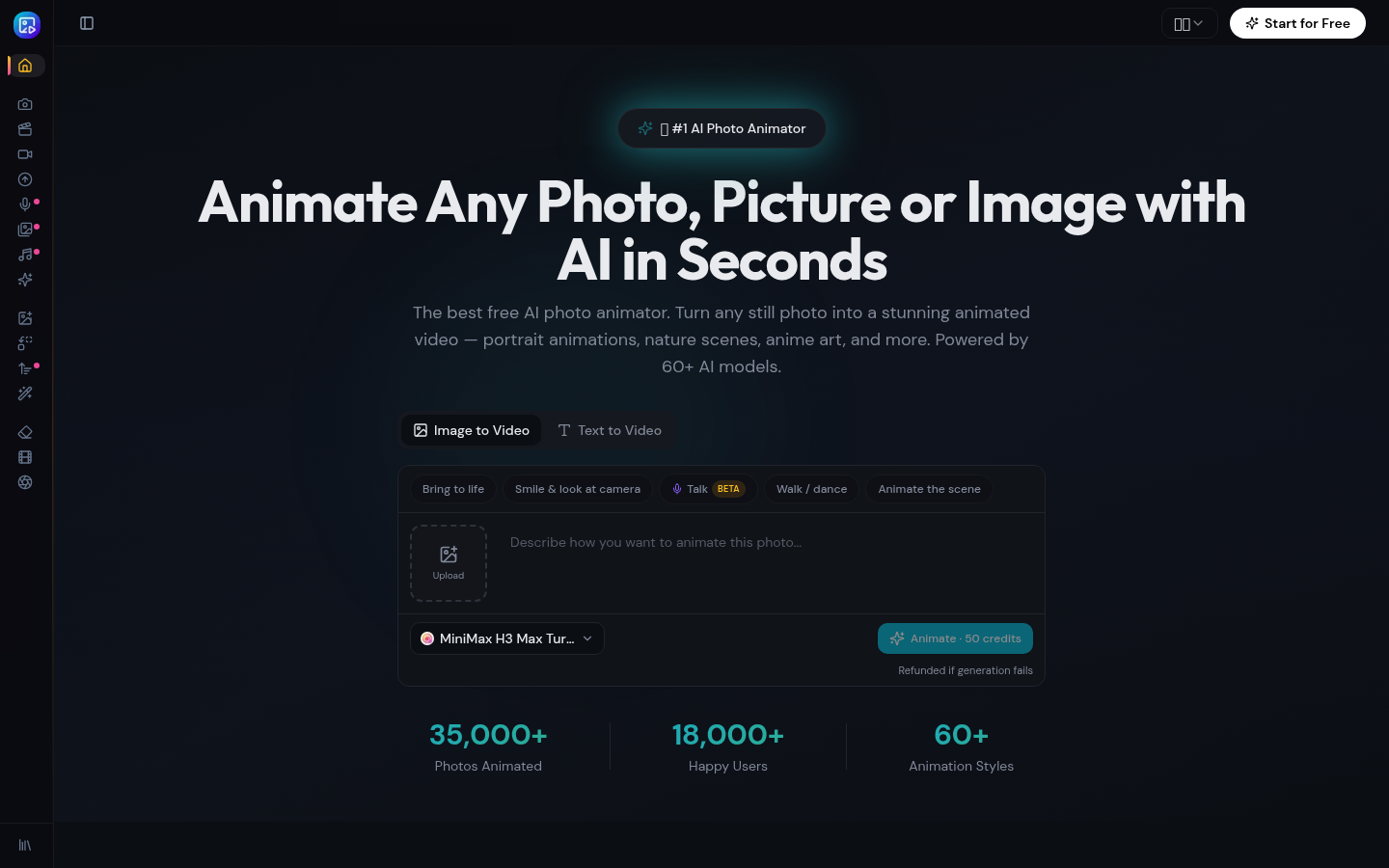
Screenshot archived from the listing page, for preview only.











