AISignature.io
Free AI signature generator, no sign-upType a name, download a signature PNG
Highlights
What you can do with it
- Signing a PDF contract or NDA quickly
- Adding a signature to digital artwork
- Making an invoice look more formal
- Producing a signature image for reuse
How to use it
- 1 Open the AISignature.io website
- 2 Type your name, pinyin, or initials in the input box
- 3 Pick a color from the color options
- 4 Browse the style categories and choose one
- 5 Switch to draw mode if you prefer to sign by hand
- 6 Download the transparent background PNG
Who it is for
Pros
- Free basic functions with no registration
- Transparent PNG drops cleanly into documents
- Draw mode covers people who want real handwriting
Limitations
- Free access covers basic functions and paid options may appear
- A generated signature is not a verified legal identity
- History is saved locally, so clearing browser data loses designs
- Handwriting styles vary and may not match your real signature
What AISignature.io is
AISignature.io is an online AI signature generator. You type a name, initials, or pinyin into the input box and the tool converts that text into a smooth handwritten style, with categories such as handwriting, cursive, calligraphy, gothic, and retro so you can compare looks side by side. Color customization covers the common business and personal choices, including black, blue, red, green, purple, and gradients. If you would rather sign for real, draw mode gives you a digital board you can use with a mouse, touchpad, finger, or stylus. Everything exports as a high-resolution transparent background PNG, which is what makes it drop cleanly into a PDF or contract without a white box around it. Basic functions are free and require no registration.
What you can do with it
- Turn typed text into a handwritten style signature
- Compare styles across several categories
- Sign by hand in draw mode
- Export a transparent background PNG for documents
- Reuse one signature image across many files
Who it is for
- Business managers signing PDFs and NDAs
- Freelancers making invoices look formal
- Illustrators signing digital artwork
- Anyone who signs documents regularly
- People who want to skip the print, sign, scan loop
What to watch out for
Free access covers basic functions, and paid options may appear over time, so check the site before you rely on it for important documents. The bigger point is legal: a generated signature is a picture, not a verified identity, so whether it is acceptable on a given contract is your responsibility and depends on the other party and the rules where you are. History is saved locally, which means switching browsers or clearing your data loses your designs, so download anything you want to keep. Finally, the handwriting styles are approximations and may not resemble your real signature, which can look odd on documents where people know your handwriting.
FAQ
Is AISignature.io free?
Basic functions are free and the site says no registration is required to start designing and exporting.
What format are the signatures?
High-resolution transparent background PNG, so they sit cleanly on PDFs, contracts, and artwork.
Can I sign with my own handwriting?
Yes. Draw mode provides a digital drawing board you can use with a mouse, touchpad, finger, or stylus.
Are the designs saved?
History is saved locally so you can compare options in the same session. Clearing your browser data will remove them.
Why it is free
What the official page says: no registration
Free limits, trial length and features are decided by the official site and can change at any time.
Product preview
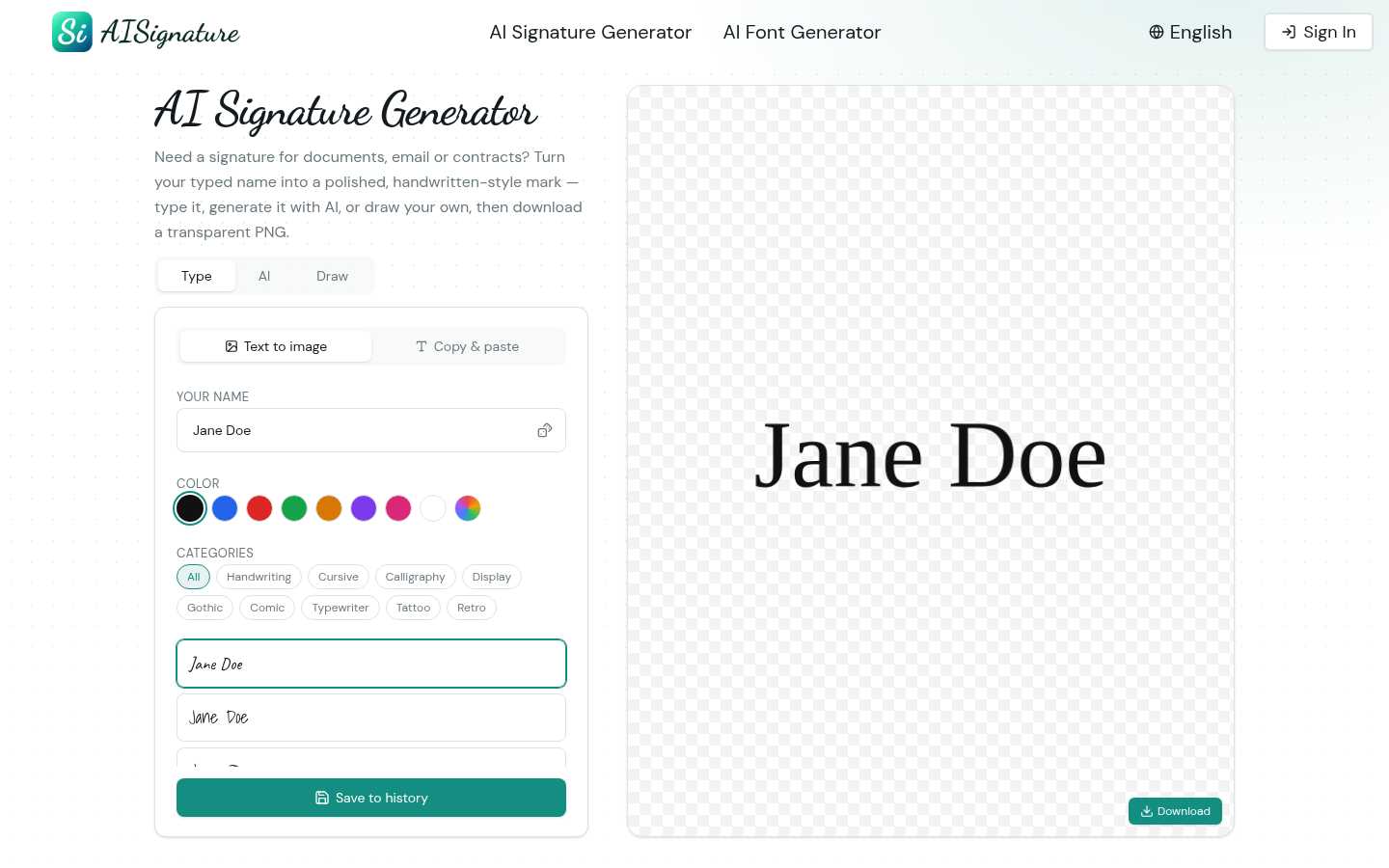
Screenshot archived from the listing page, for preview only.











