aiiStudio
Free AI image generator with a prompt libraryGenerate realistic images with GPT Image 2 and ready-made prompts
Highlights
What you can do with it
- A designer pulls a poster prompt from the library and generates a stylish promotional image.
- A marketer creates realistic product images for e-commerce ads.
- An entrepreneur builds a clean UI mockup to showcase a product interface.
How to use it
- 1 Register a new account on aiiStudio to receive free credits.
- 2 Browse the prompt library and pick a category such as ads, portraits, or posters.
- 3 Copy the prompt with one click and paste it into the generator.
- 4 Swap in your own subject, location, or product details as needed.
- 5 Generate the image, or upload a reference image and describe the edit you want.
Who it is for
Pros
- Free credits on signup and a free-to-browse prompt library
- Realistic output that sticks closely to the prompt
- Plain-English editing of uploaded reference images
Limitations
- Free credits are limited and the free rules can change
- Good results depend on writing or adapting clear prompts
- Heavier use points you toward paid Pro plans
What aiiStudio is
aiiStudio is an image generation tool built on the GPT Image 2 model, which is OpenAI's latest image system and the successor to the GPT 4o image model. By leaning on ChatGPT's multimodal reasoning, it can produce highly realistic images, follow the prompts you type closely, render text accurately, and edit uploaded reference images in a natural way. One of its standout parts is a rich prompt library taken from real creators, covering categories such as e-commerce ads, portraits, posters, characters, and UI. For access, new users get free credits when they register and no credit card is required, and the entire prompt library can be browsed for free. The first batch of images can be generated within about 60 seconds, and paid Pro plans exist for people who need more.
What you can do with it
- Generate highly realistic images that follow your prompt closely
- Copy ready-made prompts from a library built by real creators
- Edit an uploaded reference image by describing the change in plain English
- Swap in your own subject, location, or product while keeping the structure
Who it is for
- Designers who want quick inspiration and image drafts
- Marketers who need realistic product and advertising visuals
- Independent entrepreneurs building UI mockups for a product
What to watch out for
The free credits are limited, so heavy use will push you toward a paid Pro plan, and the free rules and any promotions can change over time. Output quality still depends a lot on the prompt, so getting the results you want may take some trial and adjustment, especially when you replace the subject or product in a borrowed prompt. Since it relies on the GPT Image 2 model, any change or outage on that upstream model affects what the tool can do. It is also worth checking the current terms for how generated images can be used commercially before you put them into client or paid work.
FAQ
Do I get free credits?
Yes. New users receive free credits when they register, and no credit card is required.
What is the prompt library?
It is a collection of prompts from real creators across categories like e-commerce ads, portraits, posters, characters, and UI, and it can be browsed for free.
How fast is generation?
The first batch of images can be generated within about 60 seconds.
Why it is free
What the official page says: for freefree credits
Free limits, trial length and features are decided by the official site and can change at any time.
Product preview
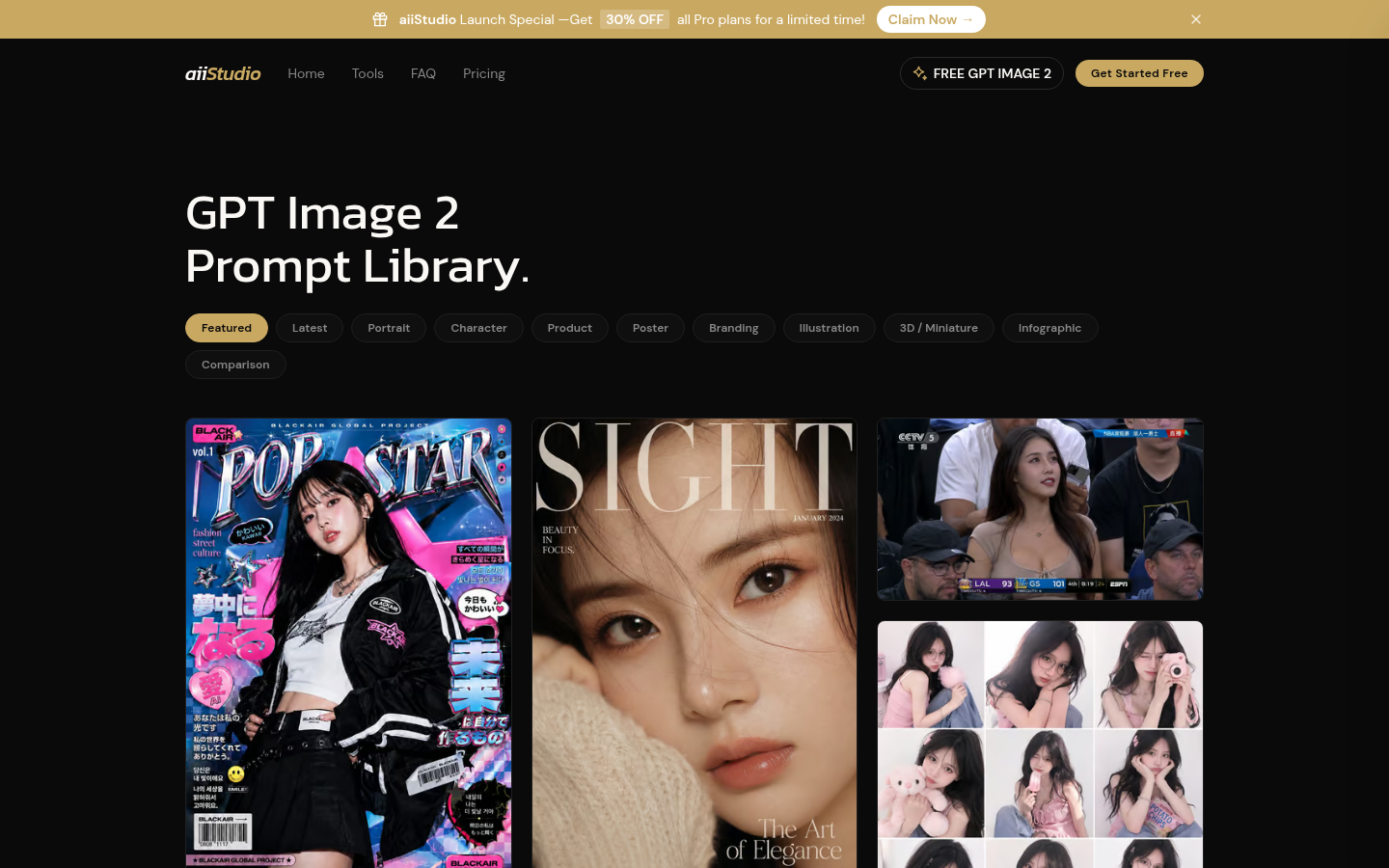
Screenshot archived from the listing page, for preview only.











