
AIEraser
Free AI object eraser for photosBrush away objects, text and watermarks
Highlights
What you can do with it
- Clean supplier product images by removing strange logos and price tags
- Remove trash cans and passers-by from travel photos
- Strip messy power cords and date stamps from real estate photography
- Restore old family photos by removing defects and unwanted elements
How to use it
- 1 Upload a photo by dragging it into the workspace
- 2 Adjust the brush size and smear over what you want removed
- 3 Click Erase and let the model rebuild the background
- 4 Download the cleaned image
Who it is for
Pros
- No precise masking needed, since the tool works from a rough brush stroke
- Runs in the browser with no install on any device
- Covers a wide range of removals, from watermarks to power lines to photobombers
- Free to use for the listed erasing tasks
Limitations
- The page presents it as a free tool, but free access rules and any limits can change at any time
- Large or busy backgrounds are harder to rebuild cleanly and may leave artefacts
- Removing watermarks or logos from images you do not own may breach copyright; that responsibility is yours
What AIEraser is
AIEraser is a free online AI erasing tool for photos. The workflow is deliberately simple: upload an image, adjust the brush, smear over whatever you want gone, and click Erase. The model then replaces the covered area with matching texture so the background looks continuous. It is listed as free, and because it runs in the browser there is nothing to install and it works on any device. Supported uploads include JPG, PNG and WebP, and the vendor says uploads finish in under a second on a responsive cloud setup.
What you can do with it
- Remove objects, people, text, watermarks, logos and date stamps
- Clean product photo defects such as dust, barcode stickers and fingerprints
- Erase glare, reflections, wires and cables from a shot
- Clear crowds and photobombers from travel and group photos
- Soften temporary skin blemishes while keeping natural texture
Who it is for
- E-commerce sellers cleaning supplier images before listing a product
- Content creators removing distractions so the subject stands out
- Photographers fixing elements they could not control on location
- Marketers and designers producing clean, on-brand imagery
- Families restoring old photos and removing unwanted details
What to watch out for
The tool is presented as free, but free access rules, file size limits and processing quotas can change without notice, so do not build a paid workflow on the assumption that it stays free. Results depend on the background: simple, repeating textures rebuild well, while busy or highly detailed areas can leave visible artefacts that need a second pass. And removing a watermark or logo from an image you do not own may breach copyright, which is a decision and a risk that sits with you.
FAQ
Is AIEraser free?
It is presented as a free online AI erasing tool. Any usage limits or changes to that are not spelled out on the page.
Which formats can I upload?
JPG, PNG and WebP are supported, and uploads complete in under a second according to the vendor.
Do I need to select precisely?
No. You adjust the brush size and smear over the area, and the detection fills in the rest.
What can it remove?
Objects, people, text, watermarks, logos, date stamps, dust, stickers, fingerprints, glare, reflections, wires, crowds and temporary skin blemishes.
Why it is free
What the official page says: 免费
Free limits, trial length and features are decided by the official site and can change at any time.
Product preview
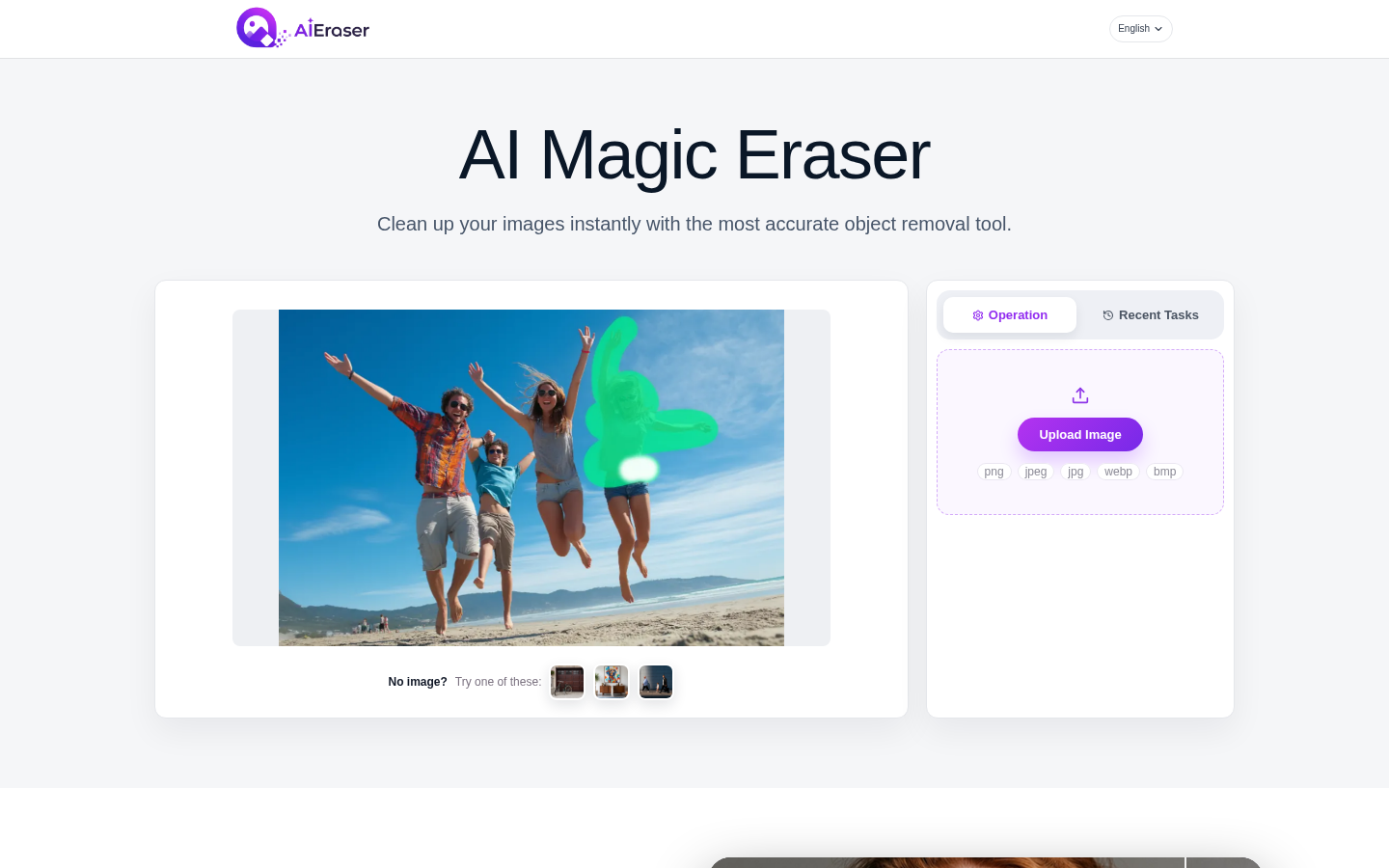
Screenshot archived from the listing page, for preview only.











