
AIComp
Generate UI component code with AIDescribe a component and get the code
Highlights
What you can do with it
- Prototyping a component library quickly
- Producing boilerplate for a dashboard
- Exploring style variations on a single component
How to use it
- 1 Open app.aicomp.cc
- 2 Enter the component name and parameters
- 3 Generate the code
- 4 Adjust the theme, layout, or style as needed
Who it is for
Pros
- Cuts down repetitive component code
- Theme and layout control included
- Free tier available
Limitations
- The listing noted the site was unreachable when last checked
- Generated code still needs review and cleanup
- Free tier limits and features can change
What AIComp is
AIComp is an AI-powered tool for generating UI components. You type the component you want along with the relevant parameters, and it produces the corresponding code, which removes the repetitive part of building an interface from scratch. The interface is deliberately simple, and the tool supports custom themes, layouts, and styles so the output can be pushed toward your own design system rather than left generic. Pricing is described as flexible, with free and paid versions for individual developers and enterprise teams.
What you can do with it
- Generate UI component code from a name and parameters
- Apply custom themes, layouts, and styles
- Prototype a component library quickly
- Explore variations of one component without rewriting it
- Start on the free tier and move up if you need more
Who it is for
- Frontend developers who want less boilerplate
- Teams prototyping an interface before committing to a build
- Anyone who needs a starting point for a component
What to watch out for
Generated code is a first draft, not production-ready output. Accessibility attributes, responsive behaviour, edge cases, and consistency with your existing design system all need a developer's attention before it ships. The listing noted the site was unreachable when it was last checked, and free tier limits can change, so confirm availability and current pricing before you plan work around it. It is also a narrow tool: it helps with components, not with the architecture around them. Features and interface details may change between versions, so review the latest notes on the page before you start. For team use, agree on naming and editing conventions in advance to avoid version conflicts or duplicated work.
FAQ
What does AIComp do?
It generates UI component code from a component name and parameters.
Can I change the style?
Yes, it supports custom themes, layouts, and styles.
Is it free?
Pricing is described as flexible, with free and paid versions.
Why it is free
What the official page says: 免费
Free limits, trial length and features are decided by the official site and can change at any time.
Product preview
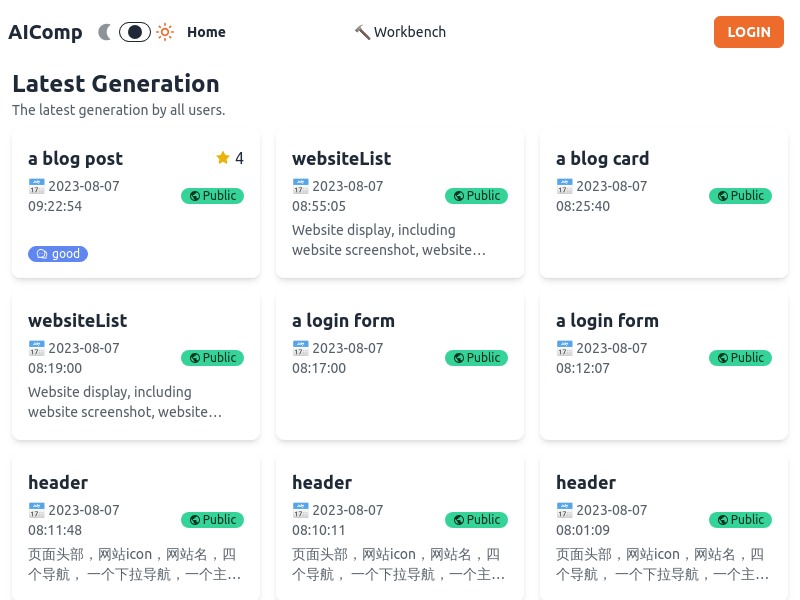
Screenshot archived from the listing page, for preview only.











