
AI My INTERIOR
AI interior style transformerRestyle any room from a photo
Highlights
What you can do with it
- Preview a room in a different style
- Get decoration ideas before buying
- Create concept images for clients or posts
How to use it
- 1 Open aimyinterior.com in your browser
- 2 Upload a photo of the room
- 3 Select the style you want
- 4 Wait for the rendered result
- 5 Save or compare the new look
Who it is for
Pros
- Free to use per the site
- Simple upload, select, and wait flow
- Several distinct styles to compare
Limitations
- The site was not returning a normal response at review time, so access may be unreliable
- Private workspace needs the professional version
- Rendering quality depends on the source photo
- Free access and features can change
What AI My INTERIOR is
AI My Interior is a design tool at aimyinterior.com. The site says it transforms photos of any indoor environment into the style you choose, with options that include modern, industrial, and New York looks, and that it produces high-quality rendering. The workflow is simple: upload a photo, pick a style, and see the room's new look in a short time. Listed features include style transformation of any indoor photo, multiple style choices, high-quality rendering, and a private workspace with personalized features reserved for the professional version. The site says the tool can be used for free, with upgrades unlocking more.
What you can do with it
- Restyle a room photo in a chosen look
- Compare several styles on the same photo
- Generate concept images for planning or sharing
- Save results from the free website version
Who it is for
- Homeowners planning a redecoration
- Anyone curious how a style would look
- Creators making interior concept images
What to watch out for
The site was not returning a normal response at review time, so access may be unreliable and you should confirm it loads before planning work around it. The site describes the tool as free, but free access and features can change at any time, and the private workspace needs the professional version, so check the current offer on the official page. Rendering quality depends heavily on your source photo, so a dark, cluttered, or oddly angled room will produce weaker results than a clean, well-lit one. Because processing happens on an external service, uptime and handling of your images are outside your control. Upload a clear photo first, compare a couple of styles, and treat the output as inspiration for planning rather than an exact preview of a finished room.
FAQ
Is AI My Interior free?
The site says it can be used for free, with a professional version that unlocks more features.
What does it do?
It transforms a photo of an indoor space into a chosen style such as modern, industrial, or New York.
What needs a paid plan?
The site lists a private workspace and personalized features as professional-version only.
What should I check?
The site was not serving a normal page at review time, so confirm it loads and check current free limits first.
Why it is free
What the official page says: for free
Free limits, trial length and features are decided by the official site and can change at any time.
Product preview
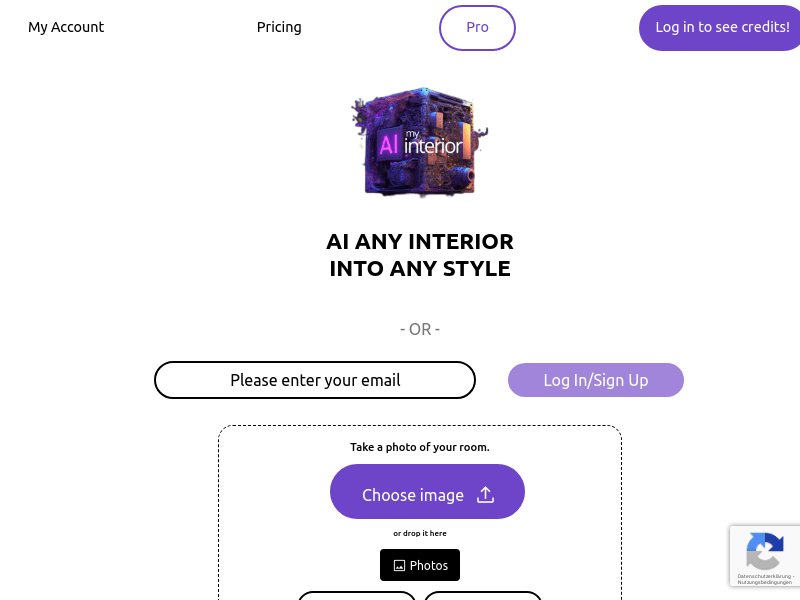
Screenshot archived from the listing page, for preview only.











