
AI Music Video Generator
Song to music video generatorPaste a link, get a cinematic video
Highlights
What you can do with it
- A track was given a cinematic video for release day
- A social post was built around a song clip
- A visual companion was produced for an album art concept
How to use it
- 1 Paste the song link or upload the audio track.
- 2 Add the photos you want used in the video.
- 3 Pick the look and pacing you want.
- 4 Generate the video, review it, then export.
Who it is for
Pros
- 1,250 free points make the first test cheap
- Simple workflow with no editing timeline
- HD export and commercial rights available on paid plans
Limitations
- Points run out and pricing can change
- You must hold the rights to the music you upload
- Result quality depends on the photos you supply
What AI Music Video Generator is
AI Music Video Generator is a multimedia tool that turns a song into a cinematic video. The input is simple: paste a link, or upload a track along with the photos you want to appear, and the tool assembles a finished video in minutes rather than hours, which is the core appeal for a creator who needs a visual for a release. Supported music sources include Suno and FlowMusic as well as tracks you hold the copyright to, so the tool covers both generated and owned material. New users begin with 1,250 free points, and paid plans unlock more monthly points, 720p HD export, priority processing, and commercial usage rights. The audience is music creators and content creators who publish on a schedule.
What you can do with it
- Turn a song link or uploaded track into a video
- Pair audio with your own photos
- Produce a cinematic look without a shoot
- Export in HD on a paid plan for release use
Who it is for
- Music creators releasing tracks that need a visual
- Content creators making song-based social video
- Marketers who need a promo clip built around audio
- Artists who want a companion visual for an album concept
What to watch out for
Free points cover a first attempt, and sustained use needs a paid plan whose pricing can change, so check current costs before you plan a release schedule. Rights matter: only upload music you own or are licensed to use, because the tool does not clear copyright for you and the responsibility stays with you. Output quality depends on the photos you supply, and a handful of low-resolution images will produce a weak video no matter how good the audio is. Review the finished cut before publishing, since automatic assembly can misjudge pacing and cuts, and a video that fights the song will hurt rather than help the release.
FAQ
How do I start?
Paste a link or upload a track and photos; new users get 1,250 free points.
Which music sources work?
The site lists Suno and FlowMusic, plus songs you hold the copyright to.
What do paid plans add?
More monthly points, 720p HD export, priority processing, and commercial usage rights.
Why it is free
What the official page says: 免费
Free limits, trial length and features are decided by the official site and can change at any time.
Product preview
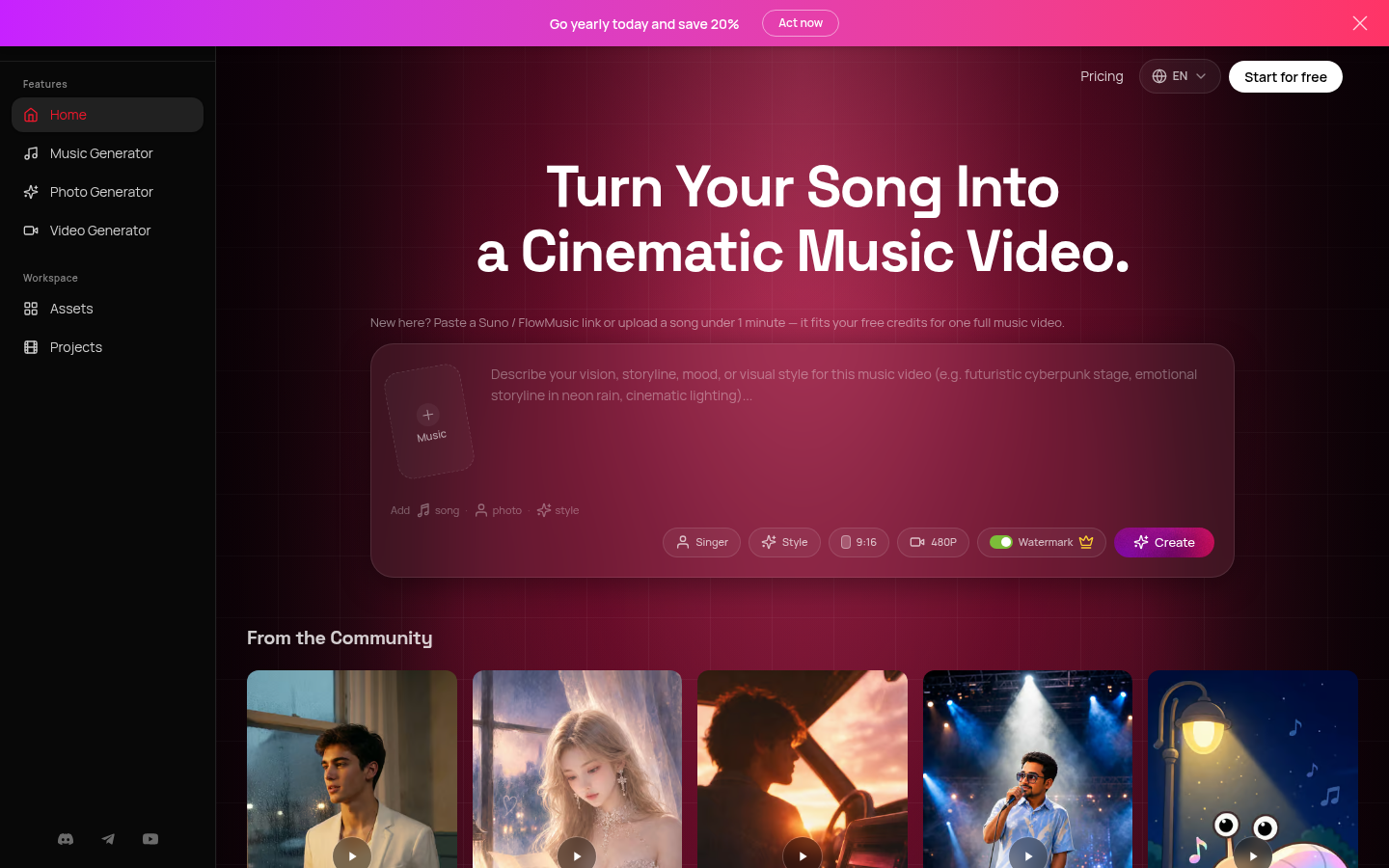
Screenshot archived from the listing page, for preview only.