
AI Imagine
All-in-one AI image toolkitGenerate, edit, and convert images fast
Highlights
What you can do with it
- Generating article illustrations from a written idea
- Cleaning product photos for an online store listing
- Trying different hairstyles and hair colours on a photo
How to use it
- 1 Open aiimagine.io and sign in if the tool asks you to
- 2 Pick the function you need, such as generation, editing, or conversion
- 3 Enter a prompt or upload the image, then follow the on-screen steps
- 4 Adjust the result until it looks right
- 5 Download the finished image
Who it is for
Pros
- Broad toolset in one place instead of several sites
- Simple flow: prompt or upload, then download
- Editing covers common cleanup jobs like object and watermark removal
Limitations
- Pricing is not fully published, and a discount offer on the page can change
- Free trial access is limited compared with a paid plan
- Automated edits still need a human check before commercial use
What AI Imagine is
AI Imagine is an all-in-one platform for creating and editing images with AI. It combines generation from text prompts, editing of existing photos, format conversion, enhancement, background changes, and virtual styling such as hairstyles, makeup, and clothing into a single set of tools. Several models sit behind the interface, so you do not have to choose a different site for each step of a job. Enhancement and background replacement are handled in the same workspace as styling previews. Most functions follow the same shape: choose a tool, supply a prompt or a photo, adjust, then download. The site lists a free trial as the entry point, though it shows a discount offer rather than a full price list, so current terms are worth checking before you plan around it.
What you can do with it
- Generate original images from a text description
- Deblur, enlarge, and improve the quality of existing photos
- Remove backgrounds, unwanted objects, text, and watermarks
- Convert between JPG, PNG, and WebP, and preview new hair or outfits
Who it is for
- Content creators who need illustrations for articles and posts
- E-commerce sellers who clean up product photos before listing
- Designers and marketers exploring directions before final production
What to watch out for
The page advertises a discount rather than a clear price list, which makes it hard to know what the free trial covers or what a paid plan costs, and those terms can change. Removing a watermark or an object from a photo is technically possible but does not make it permitted, so only edit images you own or have rights to. Automated edits can also leave artefacts around edges, especially with hair or complex backgrounds, so check the output at full size before you use it in a listing or an ad. Treat results as drafts that need a human pass.
FAQ
What does AI Imagine do?
It generates images from text, edits existing photos, converts formats, enhances quality, changes backgrounds, and previews virtual styling.
Is there a free trial?
A free trial is listed as the entry point, but the page shows a discount rather than a full price list, so check current terms.
Which formats can it convert?
JPG, PNG, and WebP. You upload the image and download the new format.
Can it remove a watermark?
Yes, erasing text and watermarks is one of the listed editing functions. Make sure you have the right to edit the image first.
Who is it for?
Content creators, designers, e-commerce sellers, marketers, and anyone who needs quick image edits without professional skills.
Why it is free
What the official page says: free trial
Free limits, trial length and features are decided by the official site and can change at any time.
Product preview
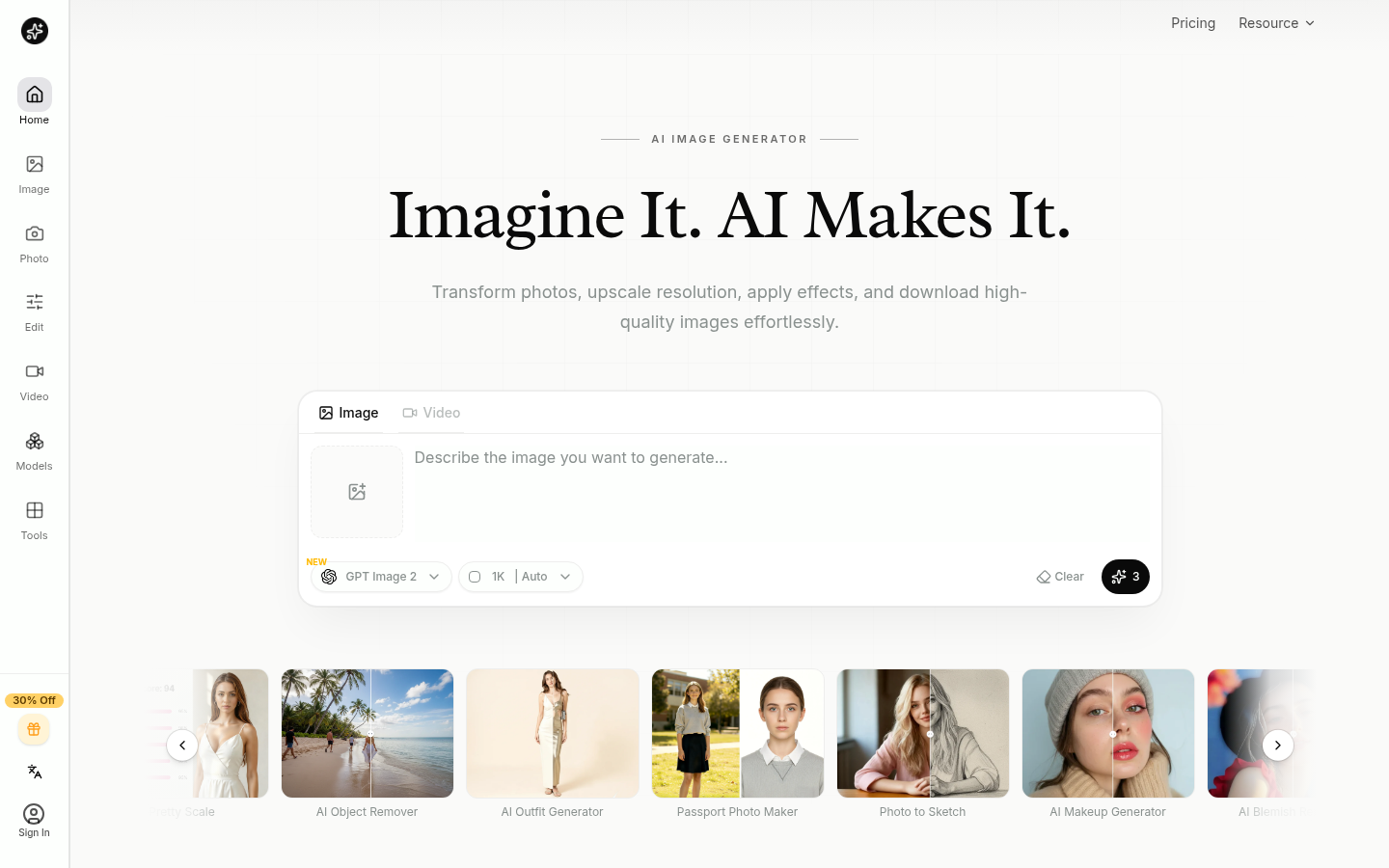
Screenshot archived from the listing page, for preview only.











