
AI Illustration Generator
AI illustration styles from textTurn text descriptions into illustrations
Highlights
What you can do with it
- Illustrations for articles and blog posts
- Visuals for social media content
- Graphics and empty states for UI design
- Keeping a consistent illustration style across a site
How to use it
- 1 Open stelvio.app in your browser
- 2 Browse the available illustration styles
- 3 Look at the free illustrations included with a style
- 4 Describe the illustration you want in text
- 5 Generate the image and download it
Who it is for
Pros
- Text descriptions are enough to get started
- Styles keep a set of visuals visually consistent
- A free illustration library comes with each style
Limitations
- Free availability can change, so confirm current access
- Output follows the chosen style rather than exact art direction
- It is an illustration tool, not a full design suite
- Fine details in a prompt may not come through
What stelvio.app is
stelvio.app describes itself as a one-stop shop for customizing AI illustration styles. You write a text description of what you want and it generates an illustration for you. The uses it lists are social media content, articles, blogs, and UI design, which covers most of the places a small site or feed needs artwork. The distinguishing idea is style consistency. Rather than pulling mismatched stock images, you pick a style and generate everything from that style so the set holds together. Each style comes with a set of free illustrations, which doubles as a preview of what the style actually produces before you spend time generating your own.
What you can do with it
- Turn a text description into an illustration
- Browse styles and see the free illustrations included with each
- Produce visuals for articles, blogs, and social posts
- Pull artwork suited to UI design
- Keep a whole set of images visually consistent
Who it is for
- Bloggers and writers who need header and inline images
- Social media creators who want a consistent look
- Designers looking for illustration assets for interfaces
- Anyone who wants artwork without drawing it themselves
- Small teams that need art but have no illustrator
What to watch out for
Free availability can change, so confirm on the site what is currently free to generate and download before you build a set of visuals around it. Output also follows the style you chose rather than a precise art direction, which means fine details in a prompt may not come through and you should expect to regenerate a few times before you get something usable. It is an illustration tool, not a full design suite, so anything needing layout, type, or precise brand control still belongs in your design software. Check the usage terms before you put generated images into commercial work, since rights differ between free and paid access.
FAQ
Is stelvio.app free?
Each style comes with a set of free illustrations. Check the site for what is currently free to generate.
What do I need to create an illustration?
A text description. You describe what you want and the tool generates the illustration.
What can I use the illustrations for?
The site lists social media content, articles, blogs, and UI design as target uses.
Can I match an existing brand style?
It works by picking a style rather than training on your brand, so treat close matching as something to test.
Why it is free
What the official page says: 免费
Free limits, trial length and features are decided by the official site and can change at any time.
Product preview
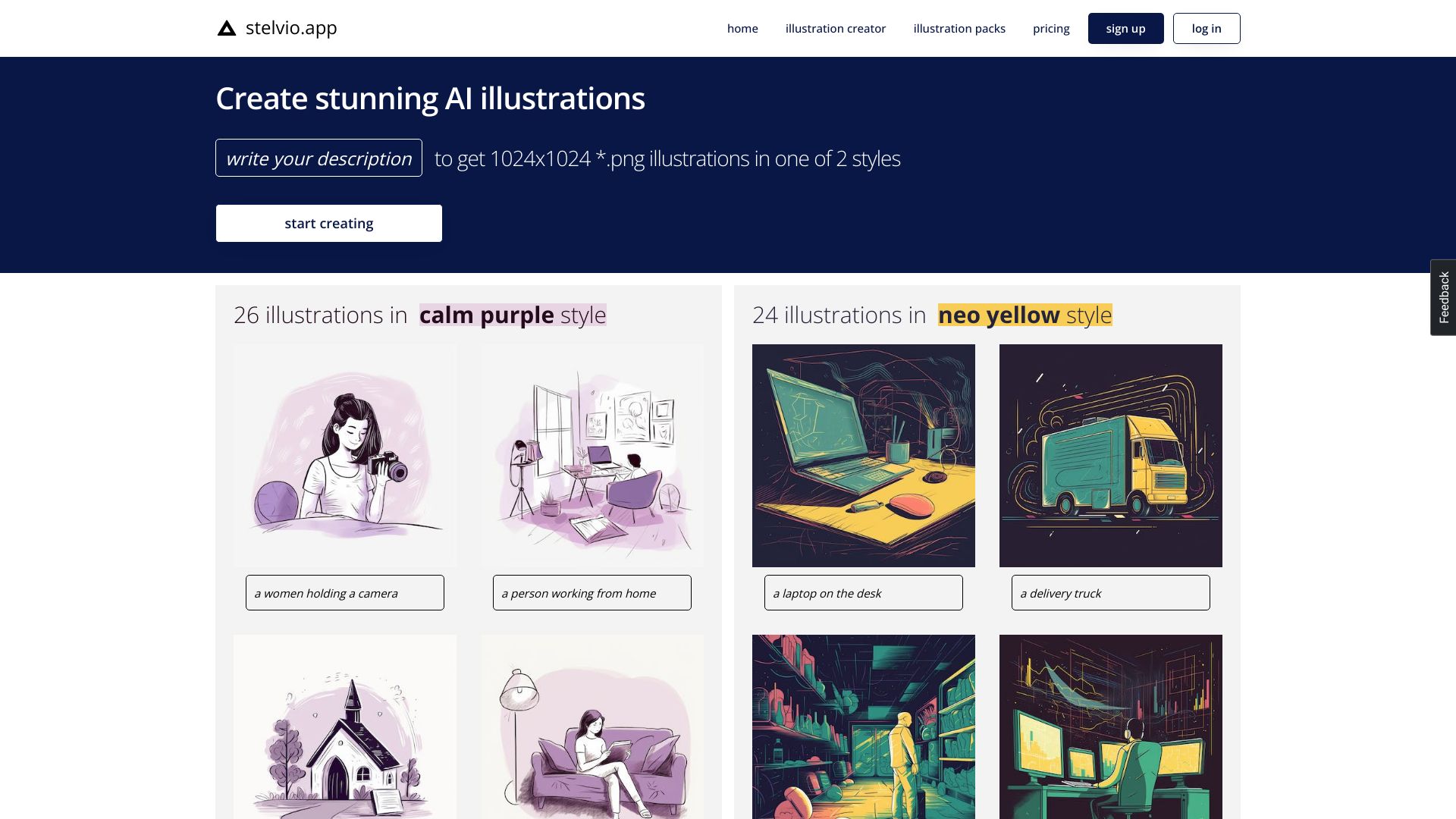
Screenshot archived from the listing page, for preview only.











