
AI 3D Model Generator
Generate textured 3D models from text or images for production pipelines.From prompt or photo to textured 3D model.
Highlights
What you can do with it
- Game developers generate props and characters from story descriptions and import them into engines
- AR/VR developers turn reference photos into models for immersive scenes
- Product designers create early prototypes from text to validate concepts before CAD work
How to use it
- 1 Describe your asset in text or upload a reference photo
- 2 Choose a fidelity preset such as Draft, Standard, Pro, or Ultra
- 3 Review the rendered preview of the generated model
- 4 Export in GLB format and import it into your engine or viewer
Who it is for
Pros
- No CAD software or modeling experience required
- Automatic PBR materials save significant production time
- Multiple detail presets fit different pipelines and budgets
Limitations
- Generated geometry may still need cleanup for demanding production use
- Quality depends heavily on the clarity of your input description or photo
- Free plan limits and generation terms can change over time
What AI 3D Model Generator is
AI 3D Model Generator is an AI-based 3D model creation tool built on Flux Kontext technology. It turns a text description or a reference photo into a textured, directly exportable 3D model, skipping the need for CAD software or manual texture work. Four mesh density presets, from Draft to Ultra, let you balance file size against surface quality, and PBR materials are applied automatically to every generation. The product has free and paid plans and is positioned for production pipelines in game development, AR/VR, and product design, where speed from concept to usable asset matters most.
What you can do with it
- Create characters, creatures, vehicles, props, buildings, furniture, equipment, and natural landscape assets
- Pick Draft, Standard, Pro, or Ultra mesh density to match your target platform
- Export models in GLB format for Unity, Unreal Engine, Godot, Blender, and AR/VR viewers
- Check a rendered preview of each export before it enters your pipeline
Who it is for
- Game developers generating props and characters directly from plot descriptions
- AR/VR developers who need lightweight yet detailed models for immersive applications
- Product designers converting concepts and reference photos into early 3D prototypes
- Small studios without dedicated 3D artists who still need production-ready assets
What to watch out for
AI-generated 3D assets are fast, but they are not always final. Complex assets may need geometry cleanup, retopology, or material tweaks in your engine, and results depend strongly on how clear your text description or reference photo is. The Draft preset saves time but trades away detail, so choose your fidelity level honestly. The free plan makes the tool easy to evaluate, yet free limits and generation terms can change over time, so plan paid capacity for serious pipelines. Treat the output as a strong starting point rather than a finished production asset in every case.
FAQ
Do I need modeling skills to use it?
No. You can generate models from a text description or a reference photo, and the tool handles texturing automatically.
What format do the models export in?
Models export in GLB format, which is compatible with Unity, Unreal Engine, Godot, Blender, Three.js, Babylon.js, and glTF-capable AR/VR viewers.
Is there a free option?
Yes, the product has free and paid plans, so you can try generation before committing to a paid tier.
Why it is free
What the official page says: 免费
Free limits, trial length and features are decided by the official site and can change at any time.
Product preview
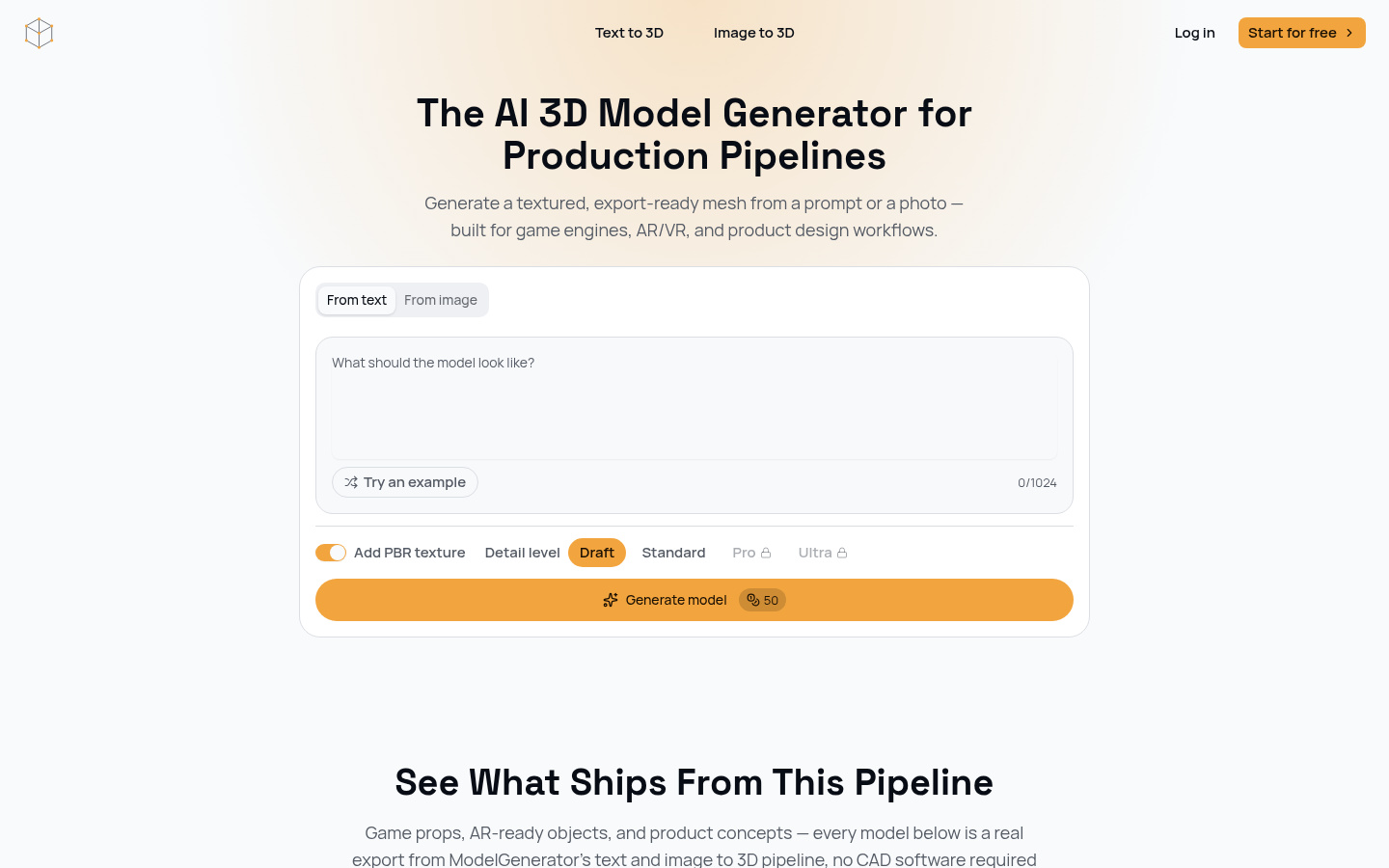
Screenshot archived from the listing page, for preview only.











