
Agent FM for Claude Code & Codex
Coding agent monitor for MacWatch Claude Code and Codex live
Highlights
What you can do with it
- A developer tracks Claude Code progress live
- A team shares the status of coding agents
- A project manager watches many tasks at once
How to use it
- 1 Download and install the Mac client
- 2 Connect Agent FM to Claude Code and Codex
- 3 Open the client and start monitoring sessions
- 4 Review progress, decisions, and problems
- 5 Handle alerts and manage tasks
Who it is for
Pros
- Real-time view of agent work and blockers
- Manages multiple tasks and sub-agents
- Logs help with later review
Limitations
- The page only speculates about a free trial, so pricing is unclear
- It runs on Mac only
- Value depends on how you use coding agents
What Agent FM is
Agent FM is a desktop client that runs on Mac, built to monitor the coding sessions of Claude Code and Codex in real time. The point is to let developers see what a coding agent is doing, including its progress, the obstacles it faces, the decisions it makes, and the items that need human attention. It can manage multiple coding tasks at once, support sub-agents for different modules, and track status such as active, idle, or error. It also records logs so you can review what happened later. The documentation does not state pricing clearly and suggests there may be a free trial or paid use.
What you can do with it
- Monitor Claude Code and Codex sessions live
- See progress, blockers, and decisions in real time
- Manage multiple coding tasks and sub-agents
- Track task status like active, idle, and error
- Review recorded logs after the fact
Who it is for
- Professional developers using coding agents
- Team members in collaborative development
- Project managers tracking coding work
- Anyone who wants visibility into agent output
What to watch out for
The documentation only speculates about a free trial or paid model, so cost and access are uncertain. It runs on Mac only, so Windows or Linux users cannot use it. Its value depends on how much you rely on coding agents; light users may not need it. Because it monitors coding sessions, make sure it fits your team's security rules before connecting it to sensitive projects. Generated suggestions are for reference only, so verify anything that affects professional judgment or important data. Start with a small sample to confirm the output meets your expectations before processing the full batch.
FAQ
What does Agent FM monitor?
It monitors the coding sessions of Claude Code and Codex on Mac in real time.
What information does it show?
It shows the agent's progress, obstacles, decisions, and items that need developer attention, plus task status and logs.
Which platform does it run on?
It is a desktop client that runs on Mac.
Why it is free
What the official page says: free trial
Free limits, trial length and features are decided by the official site and can change at any time.
Product preview
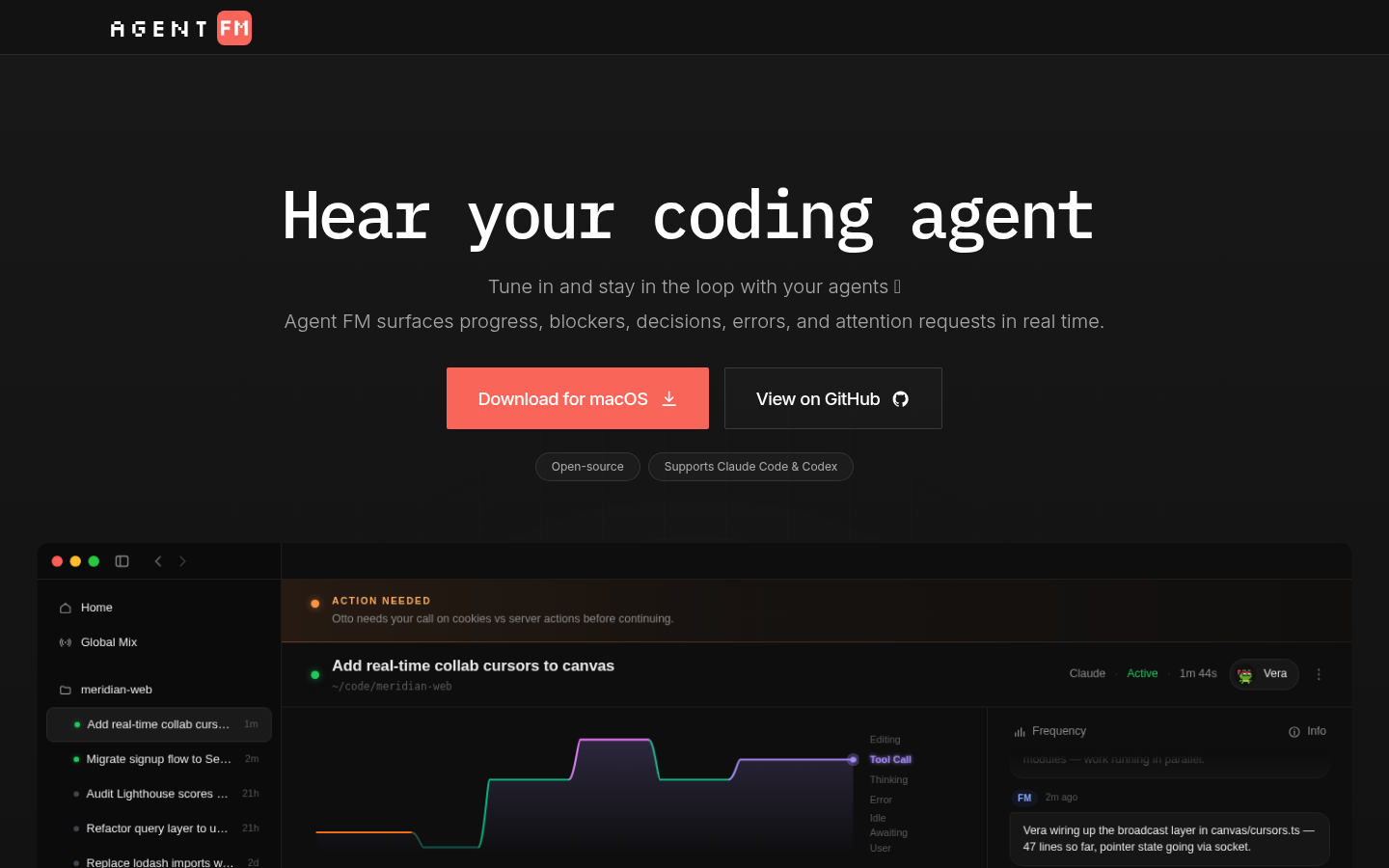
Screenshot archived from the listing page, for preview only.











