ACEStudio
AI vocal synthesis engine for singingCreate natural AI singing vocals in many languages
Highlights
What you can do with it
- Producers add AI vocals to their own tracks and demos
- Creators replace or rework vocal tracks in existing songs
- Musicians test different singing styles and timbres quickly
How to use it
- 1 Import a track and separate the vocals from the accompaniment
- 2 Choose an AI singer and set the emotional and style parameters
- 3 Synthesize the new vocals and blend them with the accompaniment
- 4 Post-process and export the finished song
Who it is for
Pros
- Natural and expressive singing voices
- Free commercial usage rights on created vocals
- Flexible control over emotion, style, and timbre
Limitations
- Cloning a real artist's voice without permission can break copyright and platform rules, with consequences on you
- Getting good results takes practice with the vocal controls
- Free commercial terms may change, so check current license details
What ACEStudio is
ACE Studio is an advanced AI vocal synthesis engine designed to make singing voices that sound natural and emotionally rich. It supports multiple languages and a range of AI singers, and it gives you control over multi-dimensional emotional parameters so you can shape how a vocal performs. The platform states free commercial usage rights for the vocals you create, which matters for producers releasing music. It can also be used to replace the vocal track of a song by separating vocals from the accompaniment, synthesizing new vocals, blending them back in, and polishing the result.
What you can do with it
- Generate natural, expressive AI singing vocals
- Choose from multilingual AI singers and adjust emotion and timbre
- Replace or rework vocal tracks in existing music
- Create unique vocal styles for demos and releases
Who it is for
- Music producers who need fast vocal tracks
- Creators reworking or replacing vocals in songs
- Musicians testing new singing styles and sounds
What to watch out for
Do not use it to clone a real artist's or a person's voice without permission. That can break copyright and platform rules and may harm others, with the consequences falling on you. The vocal controls take time to learn, so expect some practice before results sound right. Also, license and commercial terms can change, so check the current details before you release anything, and disclose when vocals are AI generated. For best results, start with a small test file and review the output carefully before working on anything important. Free tiers can change over time, so it is worth checking the current limits on the official page before you rely on the tool daily.
FAQ
Can I use the vocals commercially?
The platform states free commercial usage rights, but confirm the current terms before releasing work.
Can I clone any singer?
No. Only use voices you have the right to use; imitating real artists without permission can cause legal and ethical problems.
What is it for?
It creates AI singing vocals and can help replace or rework vocal tracks in a song.
Why it is free
What the official page says: 免费使用免费
Free limits, trial length and features are decided by the official site and can change at any time.
Product preview
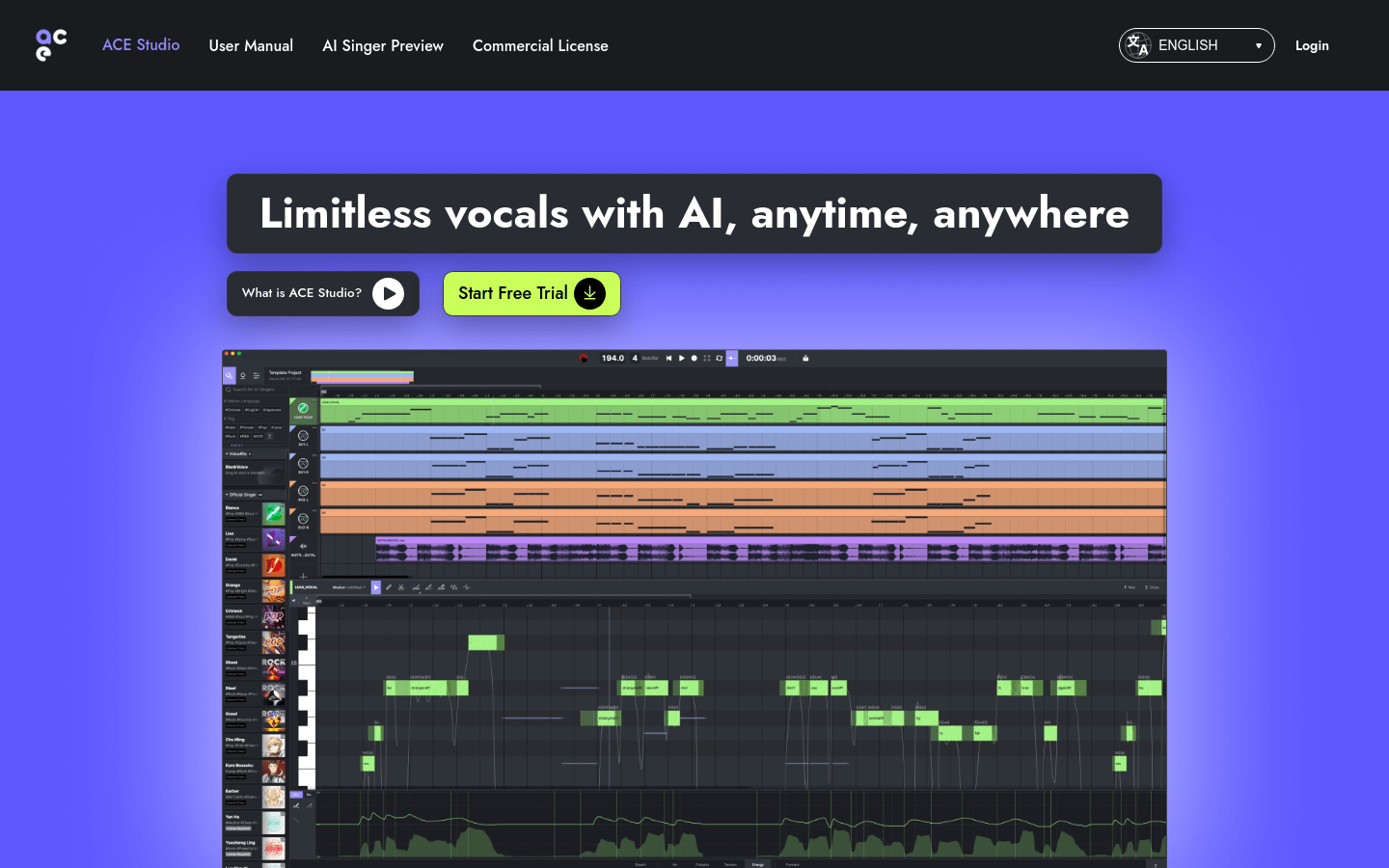
Screenshot archived from the listing page, for preview only.