550W Video Eraser
Online AI removal of video subtitles and watermarksClean video frames with background repair
Highlights
What you can do with it
- Remove hard-coded subtitles from teaching video materials in batch
- Erase channel logo watermarks from self-media footage
- Clean date stamps and watermarks from personal videos
How to use it
- 1 Open the 550W Video Eraser website
- 2 Upload a supported MP4 or MOV video, or drag a whole folder
- 3 Draw a frame around the subtitle or watermark area
- 4 Choose standard mode to remove the area or protection mode to keep it
- 5 Start processing and download the result within 24 hours
Who it is for
Pros
- Background repair aims for natural reconstruction, not blur
- Batch frame selection speeds up multi-file jobs
- Free starter credits let you test before paying
- No installation, it runs in the browser
Limitations
- Removing watermarks from content you do not own may infringe copyright
- Credits are consumed per second and by resolution, so costs add up
- Only MP4 and MOV in H.264 are supported
- Free credits and pricing can change, and results are time limited
What 550W Video Eraser is
550W Video Eraser is an online AI video tool that removes hard subtitles and watermarks from videos. Instead of blurring the area or leaving a black bar, it uses intelligent background repair to reconstruct the scene naturally, which is the difference between a usable clip and an obviously edited one. Each task gets exclusive computing power, so you do not wait in a shared queue, and the listing says ordinary videos finish in about three minutes on average. It supports batch processing for a whole folder and accepts MP4 and MOV files in H.264. Billing is a pay-as-you-go credit system where credits never expire, and new users get 200 free credits on registration.
What you can do with it
- Remove hard-coded subtitles and watermarks from a video.
- Repair the background so the area does not look blurred or blocked.
- Batch process a folder with the same frame selection across files.
- Choose standard mode to remove an area or protection mode to keep it.
Who it is for
- Video creators working with subtitled source material.
- Self-media practitioners cleaning branded or watermarked footage.
- Ordinary users removing date stamps from personal clips.
- Anyone who reuses licensed footage they are allowed to edit.
What to watch out for
Removing watermarks or subtitles from video you do not own can infringe copyright, and using cleaned content may break platform rules, so only process material you have the rights to and accept that responsibility yourself. Credits are consumed by duration and resolution, so long or high-resolution videos get expensive quickly, and only MP4 and MOV in H.264 are supported, which excludes many newer codecs. Results must be downloaded within the stated 24-hour window, so do not leave finished jobs sitting in the queue. Free credits, pricing, and credit expiry terms can change, so confirm current conditions on the site before you rely on the service for paid work.
FAQ
How does billing work?
It uses a pay-as-you-go credit system. Videos at 720p and below cost 1.3 credits per second, and above 720p cost 1.6 credits per second.
Do new users get free credits?
Yes. New users receive 200 credits for a free experience upon registration.
Which formats are supported?
It supports MP4 and MOV containers with H.264 encoding.
How long do results stay available?
The listing says to download the processed video within the specified 24 hours.
Why it is free
What the official page says: for free
Free limits, trial length and features are decided by the official site and can change at any time.
Product preview
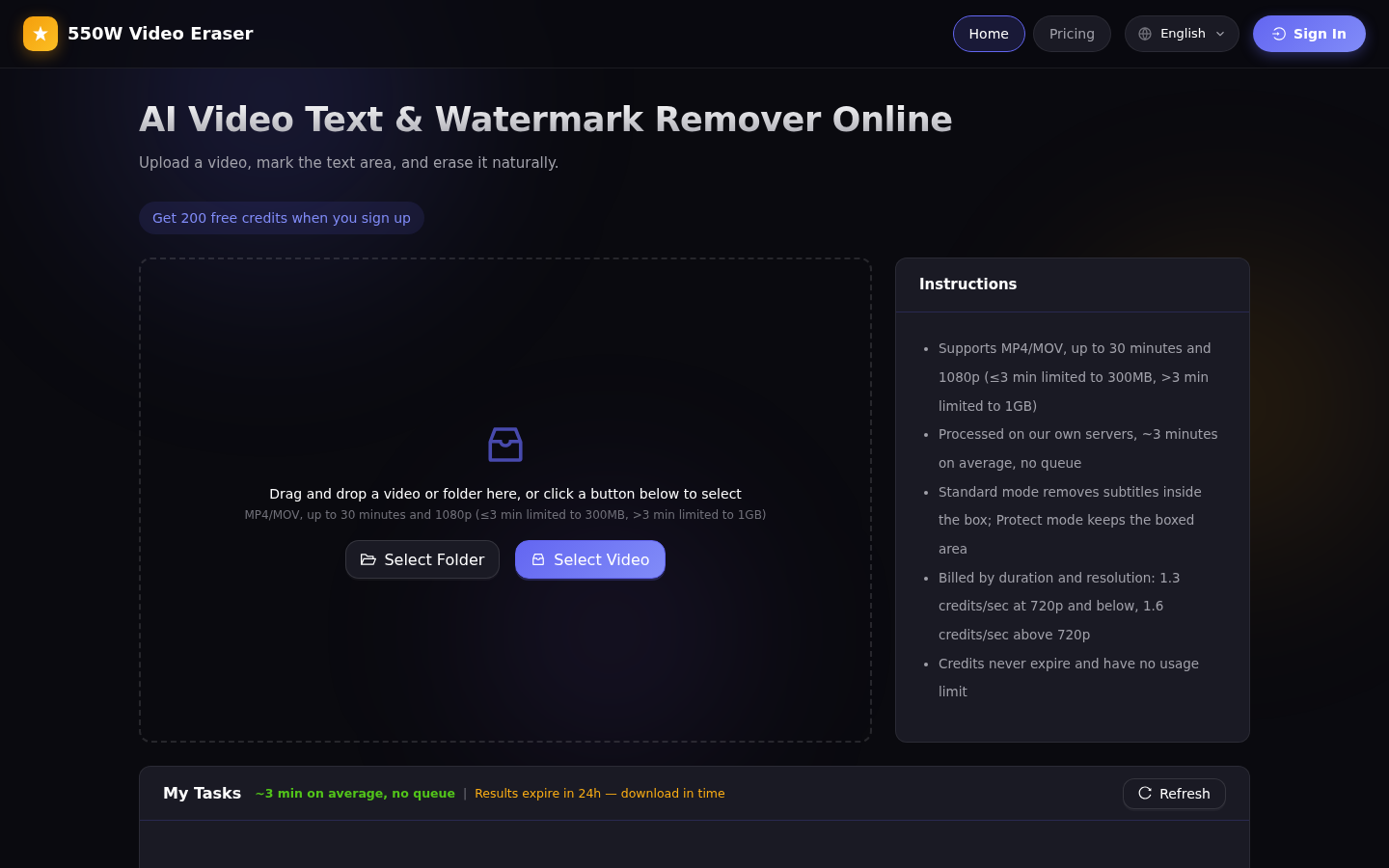
Screenshot archived from the listing page, for preview only.











